Know your numbers every day, week and month: Housecall Pro and Jobber reports for electricians

Is your electrical business growing the way it should? If not, we need to talk. Can you say which week last month made you money, how many panel, EV charger and generator estimates are still out, and who owes you? If those answers live in your head, the truck and the bank app, you find out how the business did weeks after it happened. In a free 30-minute consultation, we'll look at what your Housecall Pro or Jobber account tells you today and show you the reports you could be getting every morning, every Monday and every month.

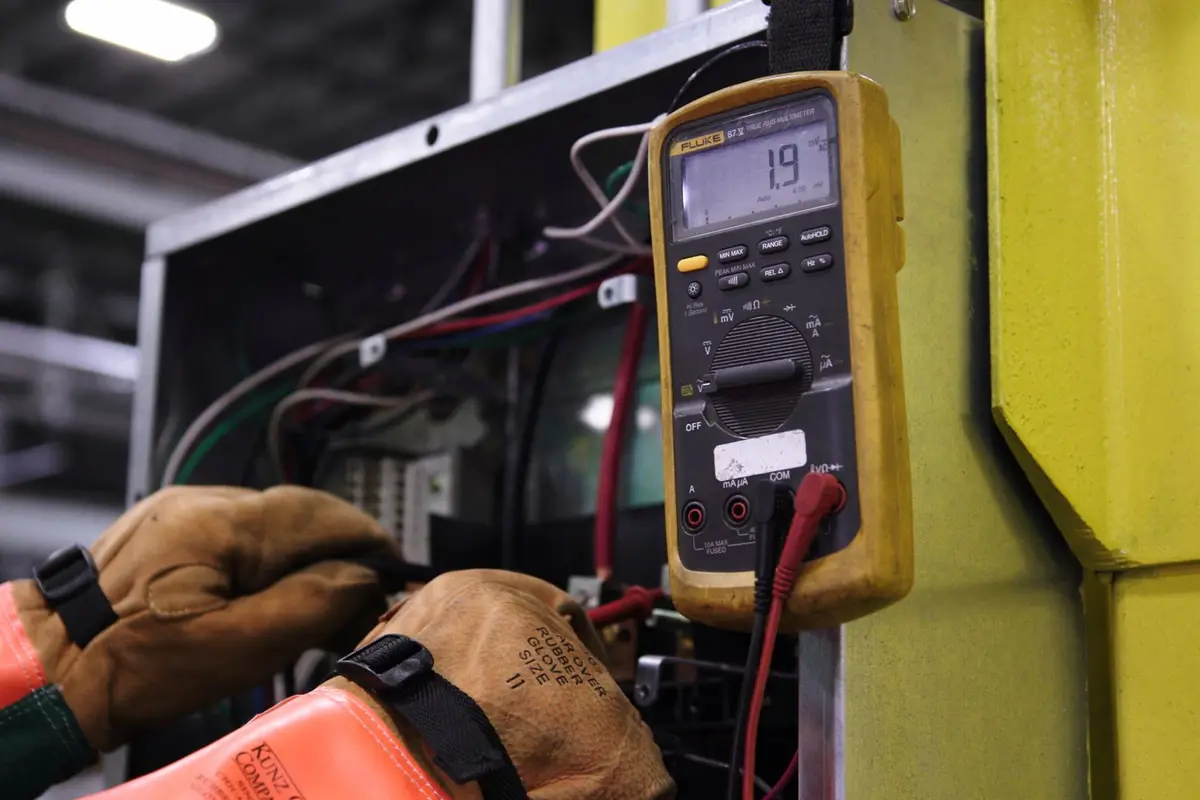
Electrician testing panel wiring with a multimeter

Who sets this up for you

Home Service Guild is a marketing agency for home service companies, led by Robert Earl. He has 25+ years working with the home service industry and holds Google certifications in Google Ads Search, Conversion Optimization and Google Analytics, so your reports can show which marketing paid for itself. He also wrote the book When You Care Enough About Service, You Build a System.

Why a booked-solid electrical month can still come up short

Electrical work runs on two clocks. A service call takes an hour and gets paid the same day. A panel upgrade, a generator or a rewire runs for days, needs a permit before you start and can't be closed out until the inspector signs off. Both share the same electricians and the same schedule, so a month can feel packed from start to finish and still leave the account thinner than it should be.

Look closer and the money is usually sitting in a few places. A panel upgrade is finished and waiting on its final inspection, so it isn't billed yet. A rough-in failed, your electrician went back, and nobody charged for the trip. Two EV charger estimates went out after the homeowners asked for options, and nobody called either one back. The generator job ran over on wire and conduit, and nobody compared what was bought with what was quoted. A service invoice from three weeks ago is still open. Any one of those is easy to shrug off. Together they decide whether it was a good month, and without reports you find out after it's over.

Can you answer these about your electrical company right now?

If any of these send you digging through the app, the truck and the bank, the reports aren't doing their job yet:

  • How many panel upgrade, EV charger and generator estimates went out last month, and how many did you win?
  • What is your average ticket on a service call, and what is it on a panel upgrade?
  • Which jobs are finished but can't be billed until an inspection passes?
  • How many inspections are on the calendar this week, and did any fail last week?
  • How many return trips did your electricians make to jobs you thought were done?
  • How many hours did each electrician have booked last week?
  • Which invoices are past due, and who owes the most?
  • Which ads and listings brought in the jobs that actually paid?

Most owners can answer two or three of those from memory. The rest turn up at tax time, which is a long wait to learn that a generator job lost money.

What numbers should an electrical contractor track?

Keep the list short enough that you'll read it. For a residential electrical company, these are the numbers that show whether you're growing: calls in and how many a person answered; service calls booked; estimates sent, won and still open, split by job type so panels, EV chargers, generators and rewires each get their own line; average ticket for service calls and for installs, kept apart because one big install can hide a slow week of small tickets; jobs waiting on a permit or an inspection; callbacks and why they happened; each electrician's booked hours; material costs on the big jobs, if you track them; unpaid invoices; money in; and which marketing brought in the jobs that paid.

You don't need all of it every day. The morning report is quick: yesterday's calls, today's jobs and any inspection on the calendar. Monday's report covers the week: estimates out and won by job type, jobs you can't bill yet, invoices paid and unpaid, and money in. The monthly report is where the trends show up: average ticket by job type, callbacks, booked hours per electrician and which marketing paid for itself.

Housecall Pro has its own KPI dashboard, and Jobber has its own reports. Either one is only as good as how the account is set up and how often somebody opens it. If estimates go in without a job type, or the permit lives on a sticky note in the truck, the dashboard can't count it. We set up the account so the numbers are right for an electrical company, then send you the reports automatically, so Monday's numbers are in your inbox when you start the day.

What we set up: your electrical reports, and the Housecall Pro or Jobber account they come from

How do you decide which numbers my electrical company should track?

We sit down with you first. Together we walk a job the way the homeowner sees it: the call or the web form, the visit, the estimate, the permit, the install, the inspection and the final invoice. At each step we look at what your Housecall Pro or Jobber account records and what slips through. A lot of owners find features they've paid for and never switched on, like job types, lead sources and scheduled reports. Then we pick the numbers with you. If you want to sell more standby generators, for example, the report gives generator installs their own line so you can watch it move.


What will I see in my daily, weekly and monthly electrical reports?

The daily report is short and lands first thing: yesterday's calls and how many got answered, today's jobs by electrician, and the inspections on the calendar.

The weekly report comes Monday morning. It shows estimates sent and won for each job type, open estimates and how old they are, permits pulled, inspections passed and scheduled, jobs finished but waiting on an inspector, invoices paid and past due, and money in. The monthly report steps back: average ticket for service calls, panels, chargers and generators; callbacks and return trips; each electrician's booked hours; material costs on the big jobs if you track them; and what you spent on each marketing source next to the jobs it brought in. Callbacks, booked hours per electrician, spend per marketing source and permit and inspection tracking depend on how your account is set up, so we set it up to track them. All three reports are sent automatically, so nobody in the office spends Monday building a spreadsheet.

How do you track permits and inspections in Housecall Pro or Jobber?

Permits and inspections are easy to lose track of in field service software, which is why separate permit apps exist. We set the tracking up inside the account you already pay for. Each job that needs a permit gets a place for the permit number, the inspection date and whether it passed, using a custom field, a tag or a checklist, whichever your account handles best. Your weekly report then lists every job waiting on an inspector and every one that failed and needs a return trip. That list is usually money you've earned and haven't billed yet, and nobody has to carry the inspection calendar in their head. Every town runs its permits a little differently, so we build it around how your inspectors work.

How should Housecall Pro or Jobber be set up for an electrical company?

Start with the schedule, because electrical work puts a one-hour outlet repair on the same board as a three-day rewire. Installs get blocked out across the days they need, and room stays open for same-day service calls, so the office can slot in a dead circuit without wrecking the week. Online booking is limited to the jobs and hours you choose, so a homeowner can book a troubleshooting visit but not a panel upgrade that needs a look first. Every job gets a job type, which is what lets the report tell a service call from a generator install. Your electricians add photos of the panel and the finished work, plus notes like the panel's brand and age, the service size and what they found behind the wall, so whoever goes back knows what they're walking into.

How do estimates, the price book and invoices work on electrical jobs?

We build the price book around how you actually price: troubleshooting, outlets and fixtures, panel upgrades, EV chargers, generators, surge protection and rewires. Your electrician can send an estimate with good, better and best options from the truck, so the homeowner can choose between a straight charger install and one paired with a panel upgrade while your electrician is still standing in the garage. On big installs that bill in stages, each payment sits on the job record. Invoices go out from the job, the customer can pay by card on the spot or from a link, and anything still open gets a polite reminder in your company's name on a schedule you pick. If you sell yearly generator service or electrical safety inspections, those can run as maintenance plans with their own visits and billing. We check what your account supports before we build them.

How do you train the office and the electricians?

Online, in your own account, with your own jobs. The office learns scheduling, estimates, the permit and inspection records, and invoicing. Your electricians learn the few things the app needs from them on site: the job type, the photos, the permit and inspection notes, closing out the job and taking payment. Skip one of those and the report comes up short, so that's where we spend the time. Sessions are recorded, so the apprentice you hire next spring learns it the same way.

How do the reports tie back to my electrical marketing?

Every job keeps where it came from: Google, Local Services Ads, Facebook, your website, a builder you work with or a neighbor who recommended you. Your ads and listings can have their own tracking phone numbers, and website forms record the page and the ad the homeowner came from. Each month the report puts what you spent on each source next to the estimates it produced, the jobs it booked and the money collected. Then you can see whether the generator ads are bringing in generator jobs or just phone calls, and move the budget toward what pays, so none of it goes to waste.

Why electrical contractors bring us in to set up their numbers

  • Your reports show up on their own. Every morning, every Monday and at the end of every month, in your inbox, whether or not anyone opened the app.
  • We build it with you. We walk your jobs from the homeowner's first call to the passed inspection and the paid invoice, then set up the account alongside you, so your office knows why each setting is there.
  • We set up Housecall Pro and Jobber. We work in both, so we'll tell you plainly which one fits the way you quote, schedule and bill.
  • Everything stays in your company's name. The software account, the reports and every customer record belong to your business, and they stay with you if you ever stop working with us.
  • Scope and price in writing before you pay. Anything added later gets written down with its price first.

How it works: a free consultation, a written proposal, then we set it up

  1. Free 30-minute consultation. Book online or call (727) 888-3275. Tell us what you wish you knew every Monday morning and which software you run. We'll show you what it can report today and what's missing for an electrical company.
  2. A written proposal. If you want us to do the work, you get the scope, the deliverables and the price in writing.
  3. We set it up with you, in your company's name. We configure the account and the reports, train your office and your electricians, and the reports start arriving. You own every account from day one.

Consultations and training are by phone or video. How we quote.

Questions electrical contractors ask about Housecall Pro, Jobber and their numbers

Which numbers should an electrical contractor look at every week?

Five, to start: estimates sent and won by job type, jobs waiting on a permit or an inspection, unpaid invoices, money in and callbacks. They change fast enough that you can act on them the same week. Leave average ticket and marketing results for the monthly report, where a few weeks of jobs make the pattern easier to see.

How do I see my close rate on panel, charger and generator estimates separately from service calls?

Each estimate carries a job type, so the report counts panels, chargers, generators and service work on separate lines. Lump them together and a strong week of service calls can cover up a month where every generator estimate went cold. Once they're split, you can see which kind of job you're winning and which one needs better follow-up. For the estimates that stall, see what to do when a homeowner wants to think it over.

Can the report show which jobs are waiting on a permit or an inspection?

Yes, once each permitted job has its permit number, inspection date and result on the record, and we set that up. The weekly report lists every job waiting on an inspector, so you know which finished work you can't bill yet and which inspections need someone on site.

How do we track callbacks without it turning into blame?

Every return trip gets marked on the job with a short reason picked from a list, such as a failed part, something the estimate missed, the workmanship, or work the homeowner added. After a month or two the reasons show a pattern. Often it points to a supplier, a step in how jobs get scoped or a gap in training, and you can fix any of those without pointing at a person.

Is Jobber good for electricians?

Plenty of electrical companies run well on Jobber, and plenty run well on Housecall Pro. The better one for you depends on how you quote, schedule and get paid, and how many electricians you have in the field. We set up both, and our Jobber vs Housecall Pro comparison lays them out side by side.

Housecall Pro has electrical features and a KPI dashboard now. What do you add?

Housecall Pro now has electrical-specific features, KPI dashboard included. The dashboard counts what the account records, and it waits for someone to open it. If job types, permits and lead sources go in differently from one electrician to the next, the numbers come out wrong. We set the account up so every job is recorded the same way, then send you the reports on a schedule.

We pay for Housecall Pro and only use it to send invoices. Can you set up the rest?

Yes, and a lot of electrical companies start right there. We keep what's working, turn on what you've been paying for and never used, like the price book, estimates with options, job types and scheduled reports, and fix anything that records the wrong thing. If you run Jobber or another program, tell us which one and we'll tell you plainly what it can report.

Can the job record keep panel photos and inspection results for the next visit?

Yes. Photos of the panel, the meter and the finished work, notes on what was found and the inspection result all stay on the customer's record. When that homeowner calls two years later about a charger or a generator, whoever goes out can see the service size and what's in the panel before they pull into the driveway. See why your team should stop retyping customer details.

Book a free consultation about your electrical company's numbers

Is your electrical business growing the way it should? If not, we need to talk.

The guy down the street doesn't know his numbers either. He's the sloppy one, who shows up late, never calls back and lets his charger estimates go cold. Every estimate you don't follow up and every finished job you don't bill is work he never had to beat you for. The electrician who knows which jobs make money, which estimates are worth a call and which ads bring in paying work puts his time and budget there and keeps growing. It's time to get serious, take your share and put them out of business.

Your business and the homeowners in your towns are counting on you, so make the decision. In 30 minutes we'll look at what your software tells you today and show you the reports you should be getting every week.

CallBook your free consultation
